When Entra ID Lies to Exchange Online (Sort Of)
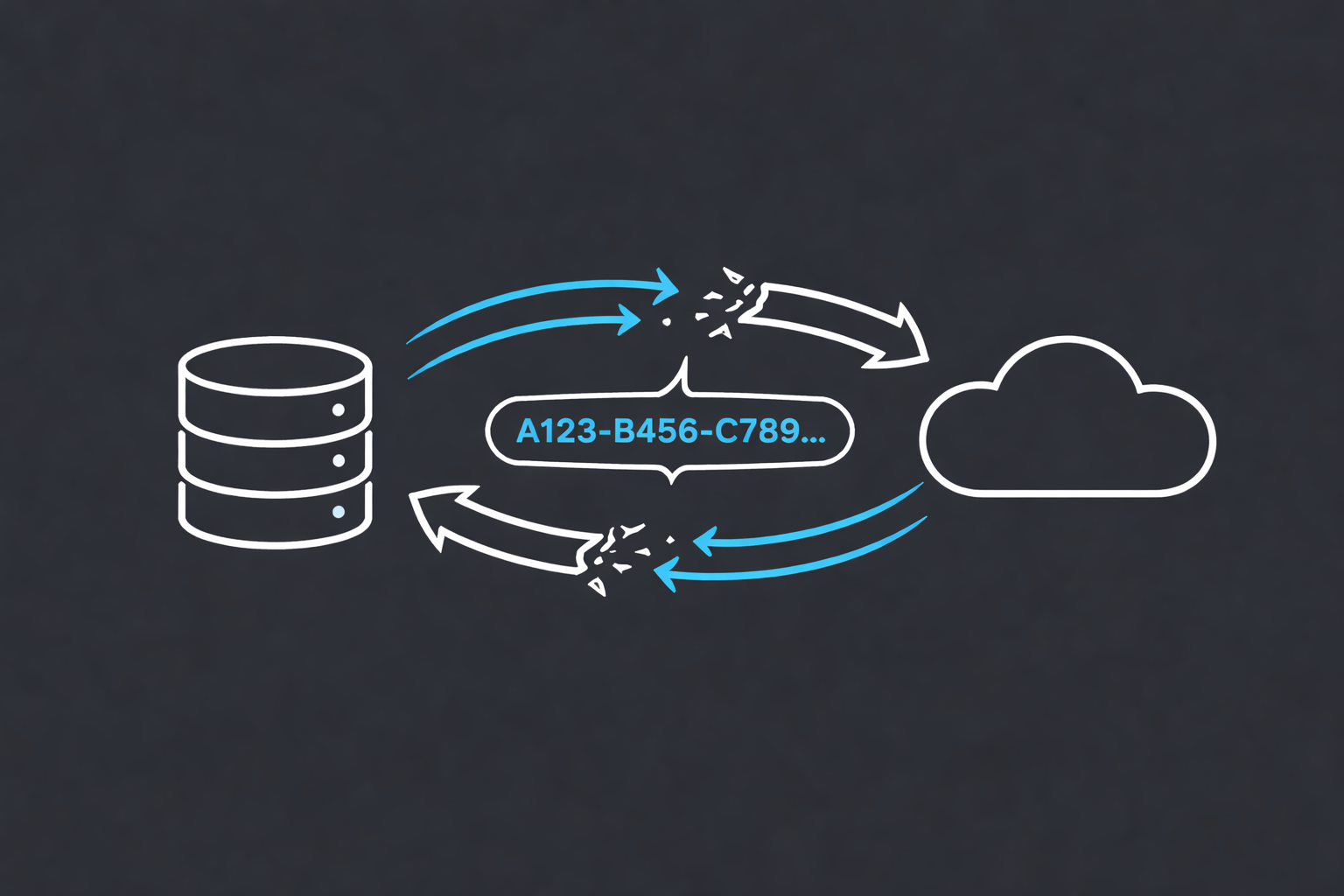
The helpdesk ticket said “archive broken.” The actual problem was a job title change from three days earlier. These things are connected - Exchange Hybrid just makes sure you won’t figure that out immediately.
The problem
The tickets started coming in separately. Jan Kowalski: “job title was updated but still showing the old one.” Andrzej Nowak: “department change not reflected.” Zofia Wiśniewska: “wrong company name in Exchange.”
Service desk confirmed the changes were done - Active Directory correct, Entra ID correct. Classic “we did everything right” handoff. And they were right. The data was there.
Exchange Online just didn’t care.
The trigger turned out to be the same in all three cases: an attribute update that synced cleanly through Microsoft Entra Connect (formerly AAD Connect) into Entra ID - but never made it to EXO. Job title, department, company name - doesn’t matter which attribute. Once the forward sync pipeline between Entra ID and Exchange Online stalls for an object, nothing gets through. And buried underneath that stalled sync was something worse: ArchiveGuid mismatch. The archive GUID in Active Directory no longer matched what Exchange Online had - or EXO had nothing at all. That part nobody reported. It was just quietly broken in the background.
How this works in Hybrid
In Hybrid, AD holds the Exchange attributes for each user - including two that matter here:
msExchArchiveGUID- the GUID of the archive mailbox in EXOmsExchRemoteRecipientType- tells Exchange what this remote recipient actually has
The values that matter for msExchRemoteRecipientType:
4= remote mailbox, no archive6= remote mailbox + cloud archive
Microsoft Entra Connect (formerly AAD Connect) syncs these from AD to Entra ID. Entra ID forwards them to Exchange Online. The chain: AD → Entra ID → EXO. If anything stalls in that pipeline, EXO stops receiving updates - attributes, GUIDs, all of it.
The fix
1. Start with the EXO Recipient diagnostic
Before touching anything, head to the M365 Admin Center and search for “Run Tests: EXO Recipient object failures” - or use the direct link: https://aka.ms/PillarEXORecipients
The tool asks for an Object ID, UPN, email address or GUID of the affected recipient. Feed it the user’s Object ID from Entra ID and it runs automated checks against the provisioning state from EXO’s perspective in seconds.
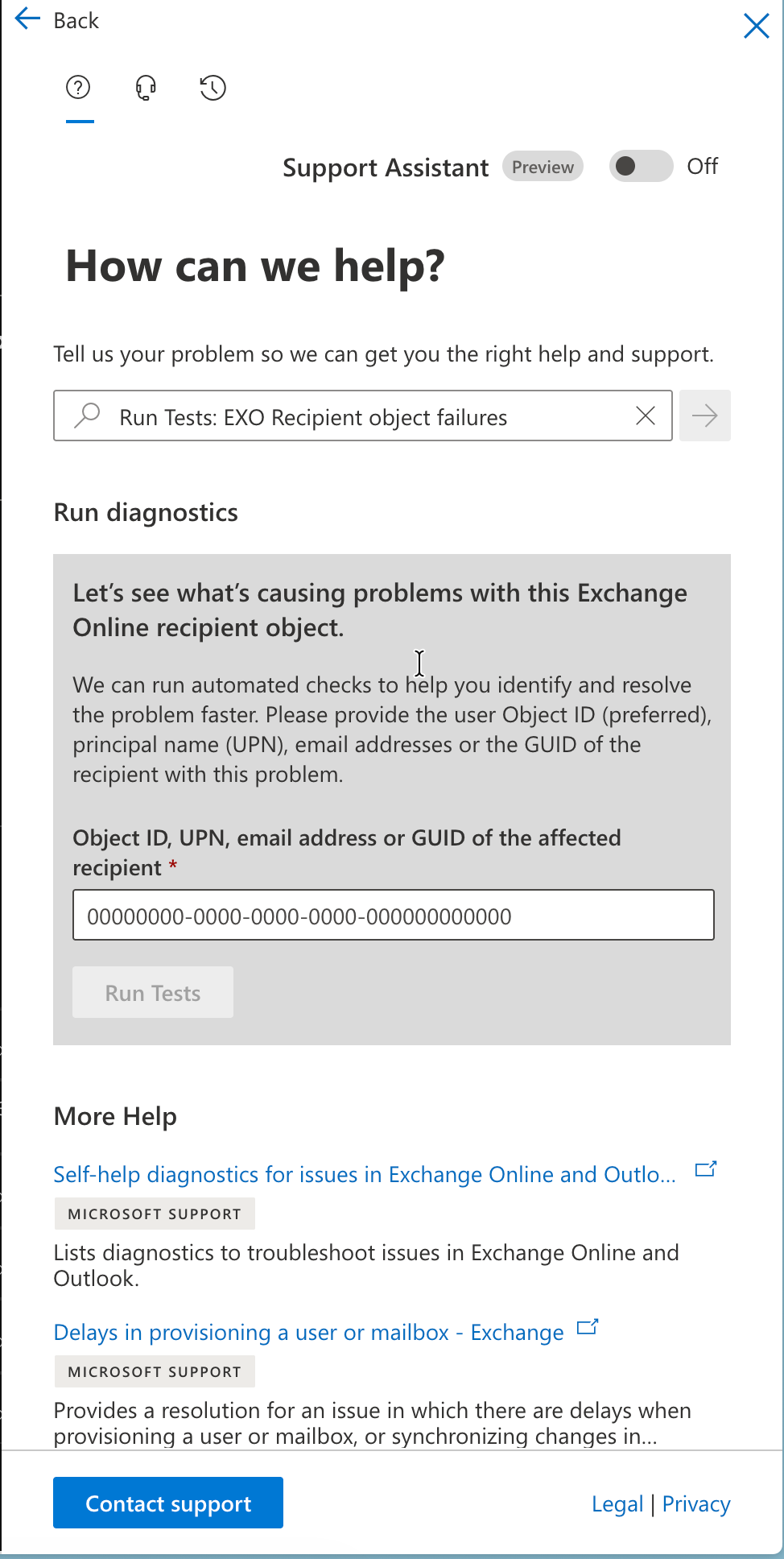 Paste the Entra Object ID, UPN or email and hit Run Tests
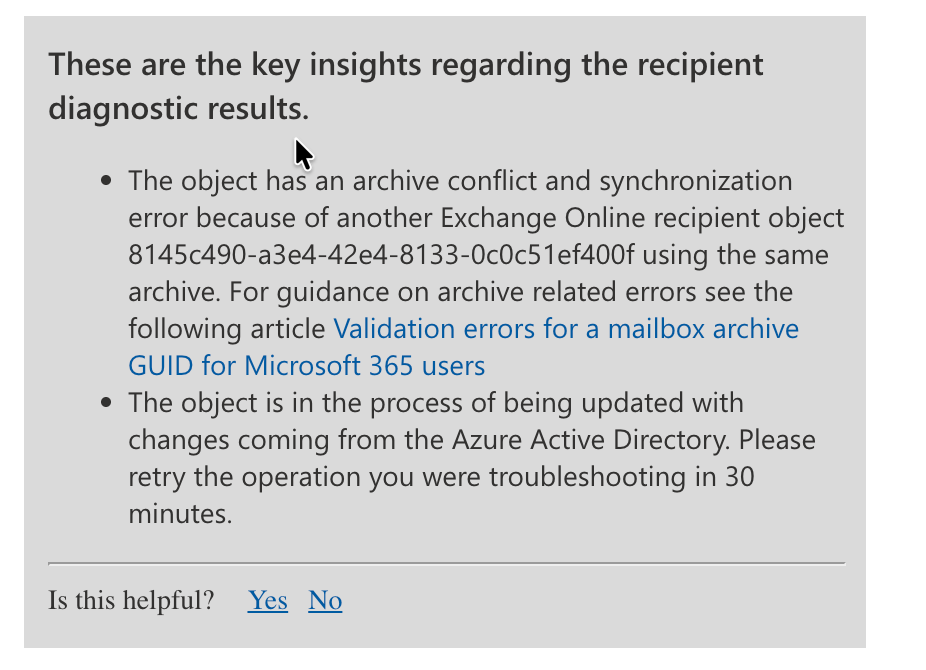 Provisioning error - at least it tells you where to look
The sneaky part: it can say “no errors” while ArchiveGuid is blank in EXO. That’s not a clean result - that’s the symptom. It means Entra ID has the attribute but it’s not making it to Exchange Online. The error variant is actually easier to work with - at least it points you somewhere.
Alternatively, you can pull provisioning errors directly from Graph:
1
(Get-MgUser -UserId "jan.kowalski@contoso.com" -Select onPremisesProvisioningErrors).onPremisesProvisioningErrors
Empty output means no provisioning errors reported - same “no errors but still broken” scenario as above. If there are errors, you’ll get the property, value, and timestamp which gives you something concrete to work with.
2. Compare both sides
1
2
3
# On-prem - pull AD attributes
Get-ADUser -Identity "jan.kowalski" -Properties msExchArchiveGUID, msExchRemoteRecipientType |
    Select-Object SamAccountName, msExchArchiveGUID, msExchRemoteRecipientType
1
2
3
4
5
# Exchange Online - check the other side
# Note: Get-EXOMailbox sometimes returns empty values for these attributes
# Get-Mailbox is more reliable here
Get-Mailbox -Identity "jan.kowalski@contoso.com" |
    Select-Object DisplayName, ArchiveGuid, ArchiveState, RemoteRecipientType
 ArchiveGuid and ArchiveState from EXO side
The GUID from msExchArchiveGUID in AD should match ArchiveGuid in EXO. If one side is empty or they don’t match - that’s your problem.
3. Pick your variant and fix it
Variant A: GUID is in EXO, missing in AD
Grab the GUID from EXO, write it to AD, sync.
1
2
3
4
5
6
7
8
9
10
11
$exoMailbox = Get-Mailbox -Identity "jan.kowalski@contoso.com"
$archiveGuid = $exoMailbox.ArchiveGuid.ToString()

# AD stores GUIDs as byte arrays - ToByteArray() is not optional
$guid = [System.Guid]::Parse($archiveGuid)
Set-ADUser -Identity "jan.kowalski" -Replace @{
    msExchArchiveGUID         = $guid.ToByteArray()
    msExchRemoteRecipientType = 6
}

Start-ADSyncSyncCycle -PolicyType Delta
Variant B: GUID is in AD, missing in EXO
Usually paired with msExchRemoteRecipientType = 2 or 4 instead of 6.
1
2
3
4
5
6
7
8
9
10
11
12
13
# On-prem Exchange Management Shell
Enable-RemoteMailbox -Identity "jan.kowalski" -Archive

# Verify the type changed to 6 - doesn't always happen automatically
Get-ADUser -Identity "jan.kowalski" -Properties msExchRemoteRecipientType |
    Select-Object msExchRemoteRecipientType

# If still not 6, set it manually
Set-ADUser -Identity "jan.kowalski" -Replace @{
    msExchRemoteRecipientType = 6
}

Start-ADSyncSyncCycle -PolicyType Delta
Variant C: ArchiveState = HostedPending
Provisioning started but stalled. The trap here is that Enable-RemoteMailbox generates a new GUID - if you let the sync run with that new GUID, you’ll provision a fresh archive and orphan the old one with all the user’s data in it. Grab the original GUID first.
1
2
3
4
5
6
7
8
9
10
11
12
13
14
15
16
17
18
19
20
# Step 1 - get the GUID from on-prem, NOT from EXO
# EXO is the broken side - Get-Mailbox will return empty or wrong data
# Option A: from on-prem Exchange Management Shell
$originalGuid = (Get-RemoteMailbox -Identity "andrzej.nowak").ArchiveGuid

# Option B: from AD directly (if EMS is not available)
$adUser = Get-ADUser -Identity "andrzej.nowak" -Properties msExchArchiveGUID
$originalGuid = [System.Guid]::new($adUser.msExchArchiveGUID)

# Step 2 - disable, then re-enable
Disable-RemoteMailbox -Identity "andrzej.nowak" -Archive
Enable-RemoteMailbox -Identity "andrzej.nowak" -Archive

# Step 3 - immediately overwrite the new GUID with the original
$guid = [System.Guid]::Parse($originalGuid.ToString())
Set-ADUser -Identity "andrzej.nowak" -Replace @{
    msExchArchiveGUID = $guid.ToByteArray()
}

Start-ADSyncSyncCycle -PolicyType Delta
Variant D: Duplicate object in EXO
A sync’d object and a cloud-only object both claiming the same GUID. Can be a live object or a soft-deleted one - check both.
1
2
3
4
5
6
7
$targetGuid = "GUID-FROM-AD"

# Check live mailboxes first
Get-Mailbox | Where-Object { $_.ArchiveGuid -eq $targetGuid }

# Then check soft-deleted
Get-Mailbox -SoftDeletedMailbox | Where-Object { $_.ArchiveGuid -eq $targetGuid }
Once you find the orphan, whether you permanently delete it or reconnect it depends on whether there’s data worth keeping. Case by case.
4. When to stop and open a ticket
Zofia Wiśniewska’s case hit a wall. Everything checked out - AD correct, msExchRemoteRecipientType = 6, Entra Connect clean, Entra ID had the attribute, the EXO diagnostic said no errors - and EXO still had an empty ArchiveGuid. That combination means the Entra ID → EXO forward sync is broken on Microsoft’s side. Nothing you can do from yours.
Template that works:
1
2
3
4
5
6
7
8
9
10
11
12
13
14
15
16
17
Title: User attribute (Job Title) updated in AD and Entra ID but not reflected in Exchange Online

Affected user: [UPN]
Entra Object ID: [GUID]
Job Title in AD: [value] - correct
Job Title in Entra ID: [value] - correct
Job Title in Exchange Online: [value] - stale / not updated

msExchArchiveGUID in AD: [value]
msExchRemoteRecipientType in AD: 6
Microsoft Entra Connect last sync: [timestamp] - no errors
EXO Recipient diagnostic: No errors, ArchiveGuid empty in EXO
Entra ID ArchiveGuid: [value - matches AD]
Exchange Online ArchiveGuid: empty

Impact: Attribute changes from AD/Entra ID are not propagating to Exchange Online for this object.
Request: Investigate forward sync pipeline between Entra ID and Exchange Online for this user.
File as Severity B. It’s not a full outage but it’s blocking access to data. Severity C gets you a 3-day response window. B moves faster.
Takeaway
Always check both attributes together: msExchArchiveGUID and msExchRemoteRecipientType. One without the other does nothing.
Never run a delta sync right after Disable-RemoteMailbox -Archive without restoring the original GUID first. That window will provision a new archive and orphan the old one.
ToByteArray() is not optional - AD stores GUIDs as byte arrays, not strings.
The EXO Recipient diagnostic saying “no errors” doesn’t mean everything is fine. It means the problem is upstream of EXO’s provisioning layer.
And sometimes a job title change breaks an archive mailbox.
Authored by human + AI collaboration